VPN Android APK — почему лучше ставить официальный клиент

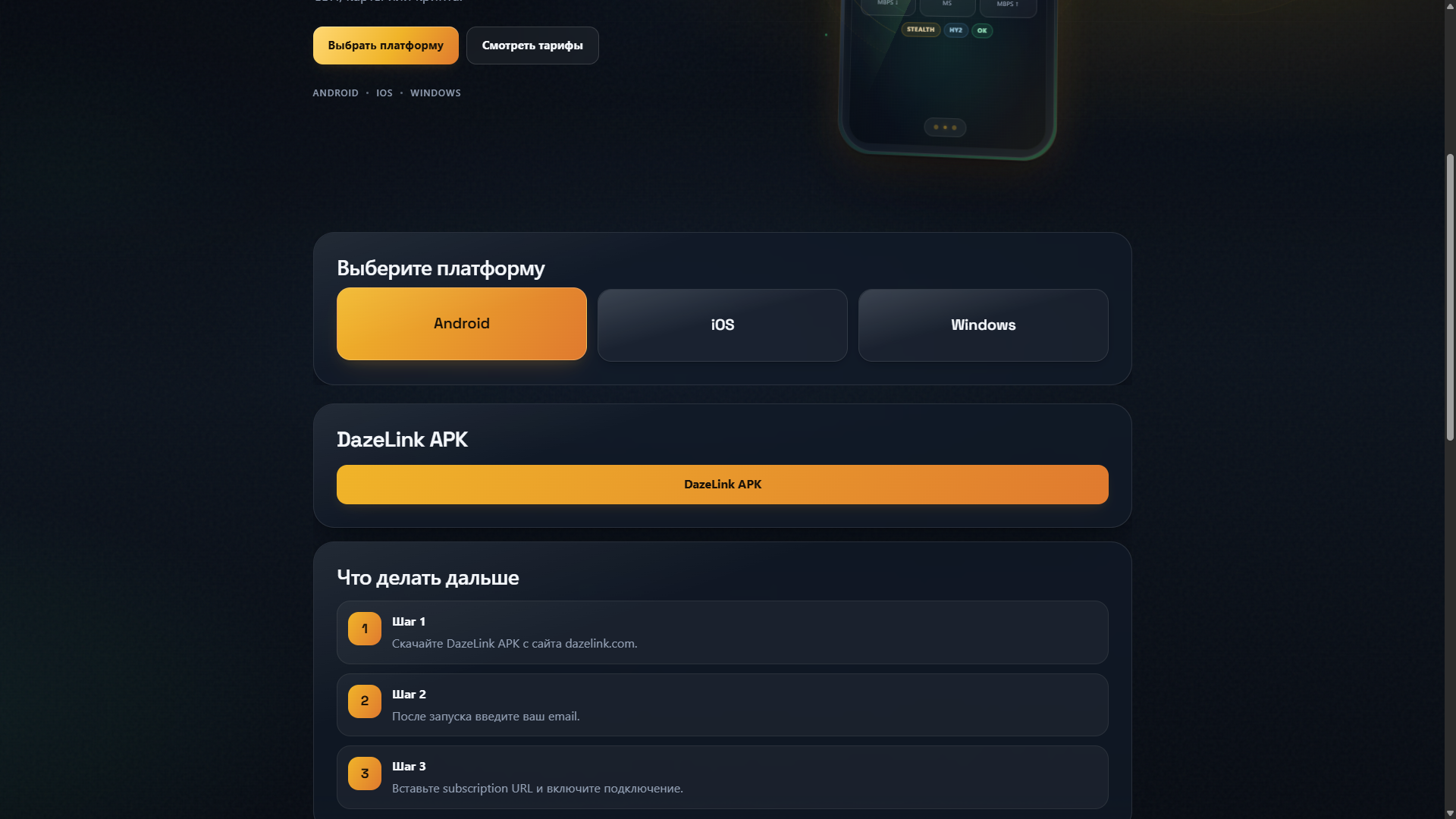
По запросу «vpn android скачать» и «vpn android apk» Яндекс часто ведёт в Google Play (OpenVPN Connect и др.) или на APK-сайты. Это нормальная картина поиска — но для DazeLink правильный путь другой: официальная сборка с dazelink.com, а не случайный APK «из топа». Этот хаб — про безопасность выбора файла. Пошаговая установка: VPN на Android.
Что показывает выдача и почему это путает
В топе бывают:
- каталоги Google Play по слову VPN;
- OpenVPN Connect и корпоративные клиенты;
- зеркала APKPure и подобные;
- сайты с «модами» и «unlocked».
Они решают другие задачи. OpenVPN Connect сам по себе не даёт вам узлы DazeLink. «Бесплатный VPN из топа» — отдельный продукт со своей политикой, рекламой и лимитами.
Если нужен именно доступ DazeLink на телефоне — не смешивайте эти сущности.
Официальный путь DazeLink
- Выпустите доступ на главной.
- При необходимости оплатите тариф.
- Скачайте Android-клиент с того же сайта (проверьте адресную строку: dazelink.com).
- Установите APK и подтвердите системный VPN.
- После установки верните запрет установки из неизвестных источников.
Так вы избегаете поддельных сборок с похожей иконкой.
Риски сторонних APK
- Подмена приложения трояном под видом VPN.
- Устаревший клиент, который не умеет актуальные профили.
- Лишние разрешения «всё подряд».
- Утечка учётных данных подписки даже если «вирус не найден» простым сканером.
Цена ошибки выше, чем «сэкономить минуту на поиске зеркала».
OpenVPN и «просто конфиг» vs DazeLink
OpenVPN — протокол и клиент общего назначения. DazeLink даёт готовый каталог профилей под свой доступ. Тащить руками чужие .ovpn вперемешку с DazeLink обычно не нужно и вредно для диагностики: непонятно, чей туннель сломался.
Техническая сторона транспортов в экосистеме: VLESS Reality и Hysteria2.
Когда Google Play ни при чём
Клиент DazeLink распространяется с сайта сервиса. Это ожидаемо для независимых продуктов. Главное — проверять домен: dazelink.com, не «dazelink-vpn-free-apk.ru» и не редиректы из рекламы.
Признаки опасной страницы:
- домен с опечатками и лишними словами;
- требование «разрешить всё» до показа файла;
- агрессивные всплывающие «скачать» на каждом клике;
- обещание «тот же DazeLink, но бесплатно навсегда».
Если антивирус ругается
Эвристика часто реагирует на VPN-разрешения и туннельные компоненты. Алгоритм:
- Убедитесь, что файл скачан с dazelink.com.
- Скачайте повторно и сравните поведение.
- Не «лечите» установкой третьего APK из чата.
- При сомнении спросите поддержку: t.me/FrostPort.
Уже поставили сомнительный VPN — что делать
- Удалите сомнительное приложение.
- Просмотрите недавно установленные пакеты.
- Смените пароли важных аккаунтов при подозрении на кражу.
- Поставьте только официальный клиент DazeLink.
- Не восстанавливайте «бэкап APK» из того же сомнительного источника.
iOS рядом
На iPhone APK нет. Там Happ из App Store и subscription URL: vpn-ios-happ, перенос подписки.
Чеклист перед подключением
- Открываете именно dazelink.com.
- После оплаты обновили клиент/профиль.
- Не включены параллельно браузерные «обходы» и второй VPN.
- На мобильной сети есть запасной профиль — стабильность.
- Для ПК при необходимости — Windows.
Частые вопросы
Можно ли ставить с APKPure?
Не рекомендуем. Качайте с официального сайта.
Нужен ли root?
Нет.
Почему в Play столько VPN, а вас там нет?
Независимые клиенты часто раздают сборку с сайта. Это не делает файл «менее официальным», если домен верный.
Чем статья отличается от гайда Android?
Здесь фокус на выборе файла и рисках. Там — полный путь установки и эксплуатации.
Связанные материалы
Как проверить, что страница загрузки настоящая
Смотрите на замок HTTPS и точное написание домена dazelink.com. Не открывайте «загрузки» из всплывающих окон поисковой рекламы. Если вас перекинуло на сторонний файлообменник с десятком кнопок Download — закройте вкладку и начните с главной страницы вручную.
Хэш и повторная загрузка
Если поддержка публикует контрольную сумму сборки — сверяйте. Если нет, минимальная гигиена: скачать файл ещё раз с сайта и не смешивать с APK из мессенджера. Один и тот же ярлык «DazeLink» на чужом APK ничего не доказывает.
Корпоративные телефоны и запрет неизвестных источников
На некоторых прошивках установка APK запрещена политикой. Это не лечится «модом». Нужен личный телефон или согласование. Не отключайте все защиты системы ради случайного файла из выдачи.
Почему «тот же значок» ничего не значит
Иконку и название легко скопировать. Злоумышленники так и делают в выдаче и в файлообменниках. Единственный устойчивый критерий для DazeLink — загрузка с официального домена после входа на главную. Если файл пришёл «от знакомого» в мессенджере, считайте его недоверенным, даже если знакомый «просто переслал».
Обновления и поддельные уведомления
Поддельные push «обновите VPN» с ссылкой не на dazelink.com — частый фишинг. Обновляйте только открыв сайт вручную или из самого клиента, если он указывает на официальный канал. Любая срочность «обнови за 5 минут или отключат» в стороннем сообщении — красный флаг.
Итог
«vpn android скачать» в поиске ≠ «любой APK подойдёт». Для DazeLink безопасная схема одна: доступ на сайте → официальный APK → системное разрешение VPN. Остальное из выдачи оставляйте конкурентам Play — или изучайте отдельно, не смешивая с рабочим доступом.
VPN Android APK — why it's better to install the official client
For "vpn android download" and "vpn android apk" searches, Yandex often leads to Google Play (OpenVPN Connect and others) or APK sites. That's a normal picture for search results — but for DazeLink, the right path is different: the official build from dazelink.com, not a random "top" APK. This hub is about choosing the file safely. For step-by-step installation: VPN on Android.
What search results show, and why it's confusing
Top results often include:
- Google Play catalogs for the word "VPN";
- OpenVPN Connect and corporate clients;
- APKPure mirrors and similar sites;
- sites with "mods" and "unlocked" versions.
These solve different problems. OpenVPN Connect on its own doesn't give you DazeLink's nodes. A "free VPN from the top" is a separate product with its own policy, ads, and limits.
If you specifically need DazeLink access on your phone, don't mix these things up.
The official DazeLink path
- Get access on the homepage.
- Pay for a plan if needed.
- Download the Android client from the same site (check the address bar: dazelink.com).
- Install the APK and confirm the system VPN.
- After installing, revert the "install from unknown sources" setting.
This way, you avoid fake builds with a similar icon.
Risks of third-party APKs
- A trojan disguised as a VPN app.
- An outdated client that doesn't support current profiles.
- Excessive, unrelated permissions.
- Leaked subscription credentials, even if "no virus is found" by a basic scanner.
The cost of a mistake is higher than "saving a minute by not searching for a mirror."
OpenVPN and "just a config" vs. DazeLink
OpenVPN is a general-purpose protocol and client. DazeLink offers a ready-made catalog of profiles for its own access. Manually mixing random .ovpn files with DazeLink usually isn't necessary and hurts diagnostics: it's unclear whose tunnel broke.
The technical side of transports in the ecosystem: VLESS Reality and Hysteria2.
Where Google Play doesn't come into it
The DazeLink client is distributed from the service's own site. That's expected for independent products. The main thing is checking the domain: dazelink.com, not "dazelink-vpn-free-apk.ru" or ad redirects.
Signs of a dangerous page:
- a domain with typos or extra words;
- demands to "allow everything" before showing the file;
- aggressive "download" pop-ups on every click;
- promises of "the same DazeLink, but free forever."
If your antivirus complains
Heuristics often flag VPN permissions and tunnel components. Algorithm:
- Make sure the file was downloaded from dazelink.com.
- Download it again and compare behavior.
- Don't "fix" it by installing a third APK from a chat.
- If in doubt, ask support: t.me/FrostPort.
Already installed a suspicious VPN — what to do
- Remove the suspicious app.
- Review recently installed packages.
- Change passwords for important accounts if you suspect theft.
- Install only the official DazeLink client.
- Don't restore an "APK backup" from the same questionable source.
iOS, for comparison
There's no APK on iPhone. There, it's Happ from the App Store and a subscription URL: vpn-ios-happ, transferring a subscription.
Checklist before connecting
- You're opening exactly dazelink.com.
- After paying, you updated the client/profile.
- No browser "bypasses" or a second VPN running in parallel.
- You have a backup profile for mobile networks — stability.
- For PC, if needed — Windows.
Frequently asked questions
Can I install it from APKPure?
Not recommended. Download from the official site.
Do I need root?
No.
Why aren't you on Google Play with so many other VPNs there?
Independent clients often distribute their build from their own site. That doesn't make the file "less official" if the domain is correct.
How is this article different from the Android guide?
This one focuses on choosing the file and the risks involved. That one covers the full installation and usage path.
Related materials
How to verify the download page is real
Check for the HTTPS lock and the exact spelling of dazelink.com. Don't open "downloads" from search-ad pop-ups. If you're redirected to a third-party file host with a dozen Download buttons, close the tab and start over manually from the homepage.
Hash checks and re-downloading
If support publishes a build checksum, verify it. If not, minimal hygiene means: download the file again from the site, and don't mix it with an APK from a messenger. The same "DazeLink" icon on a random APK proves nothing.
Corporate phones and the ban on unknown sources
On some firmware, installing APKs is blocked by policy. This can't be fixed with a "mod." You need a personal phone or approval. Don't disable all system protections for the sake of a random file from third-party sites.
Why "the same icon" doesn't mean anything
Icons and names are easy to copy. Bad actors do exactly this in search results and file hosts. The only reliable criterion for DazeLink is downloading from the official domain after visiting the homepage yourself. If a file came "from a friend" in a messenger, treat it as untrusted, even if the friend "just forwarded it."
Updates and fake notifications
Fake push notifications saying "update your VPN" that link somewhere other than dazelink.com are common phishing. Only update by opening the site yourself, or from the client itself if it points to the official channel. Any urgency like "update within 5 minutes or get disconnected" in a third-party message is a red flag.
Bottom line
"Vpn android download" in search results doesn't mean "any APK will do." For DazeLink, there's one safe path: get access on the site → official APK → system VPN permission. Leave the rest of the search results to Play Store competitors, or research separately, without mixing it with your working access.
VPN Android APK — Neden Resmi İstemciyi Yüklemek Daha İyidir
"vpn android download" ve "vpn android apk" aramalarında Yandex genellikle Google Play (OpenVPN Connect ve benzerleri) ya da APK sitelerine yönlendirir. Bu, arama sonuçları için olağan bir durumdur; ancak DazeLink için doğru yol farklıdır: dazelink.com adresinden alınan resmi derleme, rastgele bir "en iyi" APK değil. Bu hub, dosyayı güvenli seçme konusunda bilgi verir. Adım adım kurulum için: VPN on Android.
Arama sonuçlarında neler çıkar ve neden kafa karıştırıcıdır
Üst sıralarda genellikle şunlar yer alır:
- "VPN" kelimesi için Google Play katalogları;
- OpenVPN Connect ve kurumsal istemciler;
- APKPure gibi yansı siteleri;
- "mod" ve "kilitleri açılmış" sürümler sunan siteler.
Bunlar farklı ihtiyaçlara hitap eder. OpenVPN Connect tek başına DazeLink düğümlerini sağlamaz. "Ücretsiz ve popüler bir VPN" ise kendi politikası, reklamları ve sınırlarıyla ayrı bir üründür.
DazeLink erişimine telefon üzerinden ihtiyaç duyuyorsanız bu konuları karıştırmayın.
DazeLink için resmi yol
- [Ana sayfadan](/ ) erişim alın.
- Gerekirse bir plan satın alın.
- Android istemcisini aynı siteden indirin (adres çubuğunu kontrol edin: dazelink.com).
- APK’yı kurun ve sistem VPN iznini onaylayın.
- Kurulumdan sonra "bilinmeyen kaynaklardan yükleme" ayarını geri alın.
Bu yöntemle benzer simgeye sahip sahte derlemelerden kaçınmış olursunuz.
Üçüncü taraf APK’ların riskleri
- VPN uygulaması kılığına girmiş truva atı.
- Güncel profilleri desteklemeyen eski istemci.
- Gereksiz ve aşırı izinler.
- Temel bir tarayıcı "virüs yok" dese bile abonelik bilgilerinin sızması.
Hata yapmanın bedeli, "bir dakikadan tasarruf etmek için ayna aramamaktan" çok daha yüksektir.
OpenVPN ve "sadece bir yapılandırma" ile DazeLink karşılaştırması
OpenVPN genel amaçlı bir protokol ve istemcidir. DazeLink ise kendi erişimi için hazır profil kataloğu sunar. Rastgele .ovpn dosyalarını DazeLink ile manuel olarak karıştırmak genellikle gereksizdir ve sorun gidermeyi zorlaştırır: hangi tünelin bozulduğu belirsiz kalır.
Ekosistemdeki taşıma protokollerinin teknik tarafı: VLESS Reality and Hysteria2.
Google Play’in devreye girmemesi
DazeLink istemcisi hizmetin kendi sitesinden dağıtılır. Bağımsız ürünler için bu normaldir. Önemli olan alan adını kontrol etmektir: dazelink.com, "dazelink-vpn-free-apk.ru" veya reklam yönlendirmeleri değil.
Tehlikeli sayfa işaretleri:
- Yazım hataları veya fazladan kelimeler içeren alan adı;
- Dosyayı göstermeden önce "her şeye izin ver" talebi;
- Her tıklamada agresif "indirme" açılır pencereleri;
- "Aynı DazeLink, ama sonsuza kadar ücretsiz" vaatleri.
Antivirüs uyarı verirse
Sezgisel tarayıcılar genellikle VPN izinlerini ve tünel bileşenlerini işaretler. Yapılacaklar:
- Dosyanın dazelink.com adresinden indirildiğinden emin olun.
- Dosyayı yeniden indirip davranışı karşılaştırın.
- Sohbetten üçüncü bir APK kurarak "düzeltmeye" çalışmayın.
- Şüpheniz varsa destekle iletişime geçin: t.me/FrostPort.
Şüpheli bir VPN kurduysanız ne yapmalısınız
- Şüpheli uygulamayı kaldırın.
- Son yüklenen paketleri gözden geçirin.
- Önemli hesaplarınızın parolalarını değiştirin.
- Yalnızca resmi DazeLink istemcisini kurun.
- Aynı şüpheli kaynaktan "APK yedeği" geri yüklemeyin.
Karşılaştırma için iOS
iPhone’da APK yoktur. Burada App Store’dan Happ ve abonelik URL’si kullanılır: vpn-ios-happ, abonelik aktarımı.
Bağlanmadan önce kontrol listesi
- Tam olarak [dazelink.com](/ ) adresini açıyorsunuz.
- Ödemeden sonra istemciyi/profili güncellediniz.
- Tarayıcıda "geçiş" veya paralel çalışan ikinci bir VPN yok.
- Mobil ağlar için yedek profiliniz var — kararlı erişim.
- Gerekirse PC için — Windows.
Sık sorulan sorular
APKPure’dan kurabilir miyim?
Tavsiye edilmez. Dosyayı [resmi siteden](/ ) indirin.
Root gerekli mi?
Hayır.
Bu kadar çok VPN Google Play’deyken siz neden yokusunuz?
Bağımsız istemciler genellikle derlemelerini kendi sitelerinden dağıtır. Alan adı doğruysa bu durum dosyayı "daha az resmi" kılmaz.
Bu makale Android kılavuzundan nasıl farklı?
Bu yazı dosya seçimi ve risklere odaklanır. Diğeri tam kurulum ve kullanım sürecini kapsar.
İlgili materyaller
İndirme sayfasının gerçek olduğunu nasıl doğrularsınız
HTTPS kilidini ve dazelink.com yazımının doğruluğunu kontrol edin. Arama reklamı açılır pencerelerinden "indirme" bağlantılarını açmayın. Birden fazla İndir düğmesi olan üçüncü taraf bir dosya barındırıcısına yönlendirilirseniz sekmeyi kapatıp ana sayfadan manuel olarak yeniden başlayın.
Sağlama toplamı denetimleri ve yeniden indirme
Destek bir derleme sağlama toplamı yayınlarsa doğrulayın. Yayınlanmıyorsa temel hijyen: dosyayı siteden yeniden indirin ve mesajlaşma uygulamasından gelen bir APK ile karıştırmayın. Rastgele bir APK’daki aynı "DazeLink" simgesi hiçbir şey kanıtlamaz.
Kurumsal telefonlar ve bilinmeyen kaynak yasağı
Bazı üretici yazılımlarında APK kurulumu politika tarafından engellenir. Bu durum bir "mod" ile düzeltilemez. Kişisel telefon veya onay gerekir. Üçüncü taraf sitelerden rastgele bir dosya için tüm sistem korumalarını devre dışı bırakmayın.
Neden "aynı simge" hiçbir şey ifade etmez
Simge ve adları kopyalamak kolaydır. Kötü niyetli kişiler bunu tam olarak arama sonuçlarında ve dosya barındırıcılarda yapar. DazeLink için tek güvenilir ölçüt, ana sayfaya kendiniz gidip resmi alan adından indirmektir. Dosya bir mesajlaşma uygulamasında "arkadaştan" geldiyse, arkadaşınız "sadece iletti" dese bile güvenilmez kabul edin.
Güncellemeler ve sahte bildirimler
"VPN’inizi güncelleyin" diyen ve dazelink.com dışına yönlendiren sahte anlık bildirimler yaygın bir kimlik avı yöntemidir. Güncellemeyi yalnızca siteyi kendiniz açarak veya istemcinin resmi kanala işaret eden işleviyle yapın. Üçüncü taraf bir mesajda "5 dakika içinde güncelleyin yoksa bağlantınız kesilecek" gibi bir aciliyet kırmızı bayraktır.
Özet
Arama sonuçlarındaki "vpn android download" ifadesi "herhangi bir APK olur" anlamına gelmez. DazeLink için tek güvenli yol: site üzerinden erişim alın → resmi APK → sistem VPN izni. Arama sonuçlarının geri kalanını Play Store rakiplerine bırakın veya ayrı olarak inceleyin; bunları çalışan erişiminizle karıştırmayın.