VPN на Windows — установка клиента DazeLink
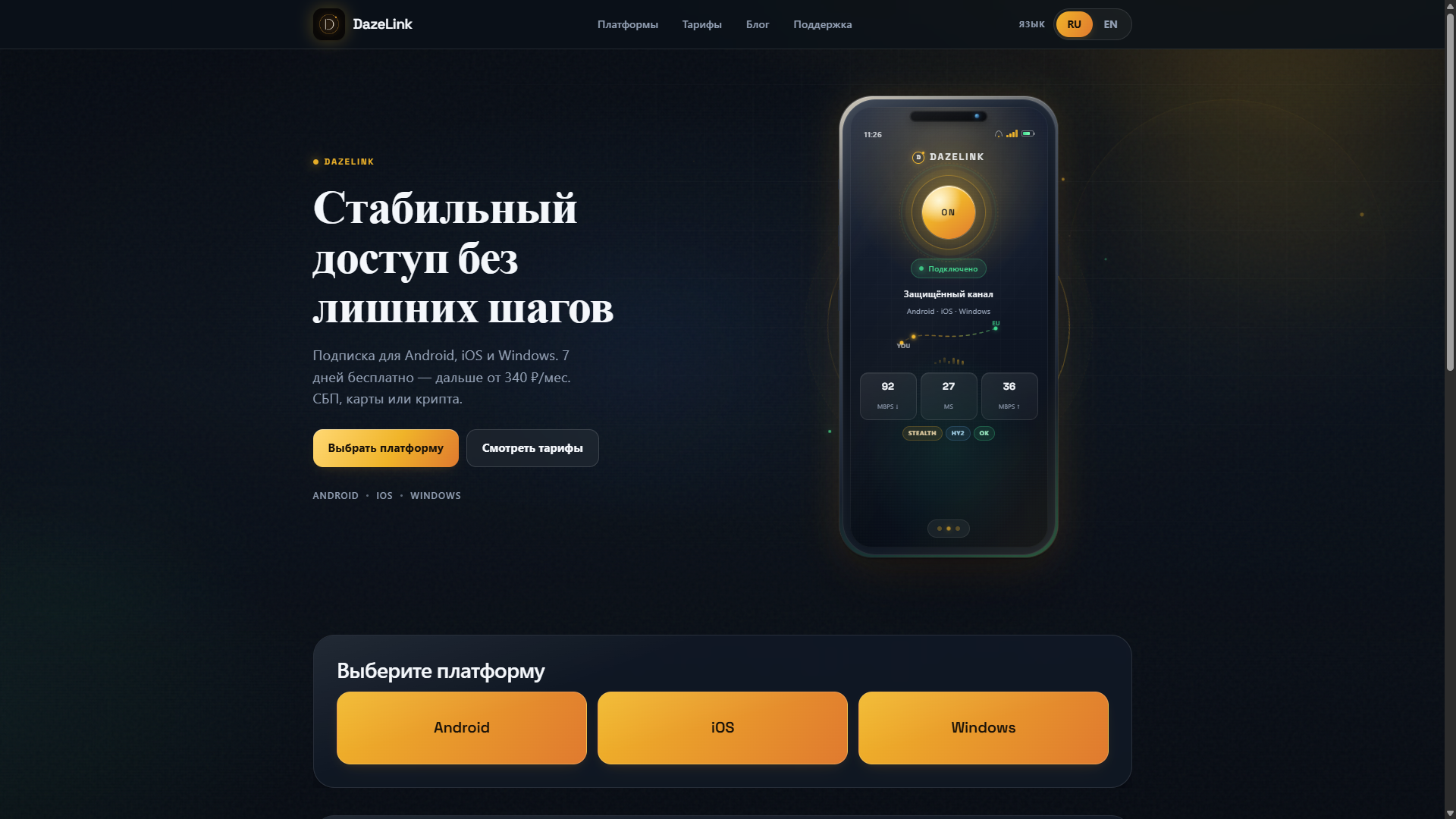
Запросы «vpn windows», «vpn для пк», «vpn windows скачать», «vpn для windows 10/11» обычно значат: нужен клиент на компьютер без консоли и ручной сборки URI. DazeLink даёт Windows-сборку рядом с Android и iOS-сценарием через Anywhere Proxy (Happ — альтернатива). Этот хаб — установка, повседневная эксплуатация и разбор типовых поломок на ПК.

Подготовка
- Windows 10 или Windows 11 (основной ориентир продукта).
- Права на установку или подтверждение UAC.
- Аккаунт, выпущенный на dazelink.com.
- Желательно стабильные системные часы (автовремя) — сильный сдвиг ломает TLS.
Тарифы и сроки — на pricing.
Установка по шагам
- Откройте главную DazeLink, выпустите или проверьте доступ по email.
- Скачайте Windows-клиент только с официальной страницы загрузок на том же домене.
- Запустите установщик или portable-сборку по подсказкам сайта.
- Если SmartScreen предупреждает о «неизвестном издателе» у новой подписи — убедитесь, что файл с dazelink.com, затем подтвердите запуск осознанно. Не делайте так с файлами из «свалки vpn free».
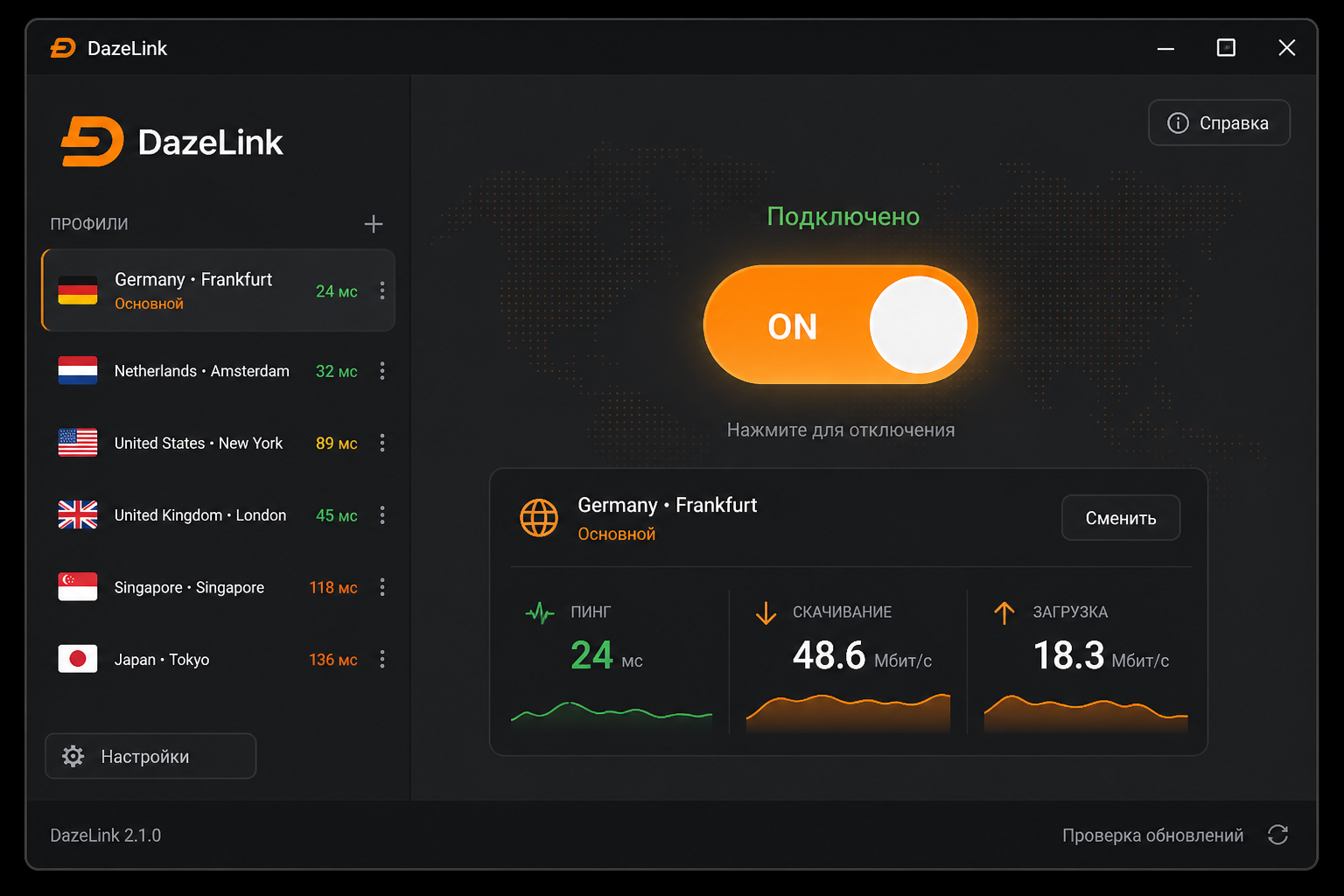
- Откройте клиент, дождитесь готовности профиля, нажмите подключение.
- Подтвердите системные разрешения Windows, если появятся.
Не ставьте «репаки vpn windows free»: чаще это устаревший конфиг или небезопасная сборка с лишними «бонусами».
После подключения
Проверьте состояние в клиенте и что привычные сайты открываются.
Если нужен параллельный телефон:
На одном аккаунте не стоит бесконтрольно плодить сессии «на весь офис» — частая причина внезапных отключений.
Частые проблемы на Windows
Клиент не стартует. Антивирус / Controlled Folder Access / корпоративный EDR. Добавьте исключение для папки DazeLink, если защитник режет туннельный компонент. Перезагрузка после первой установки иногда обязательна.
Подключение мигает и падает. Обновите клиент с сайта, перезапустите приложение, проверьте время Windows, отключите второй VPN. На гостевом Wi‑Fi офиса UDP/туннели могут резаться — сравните с LTE телефона через точку доступа.
Работает в браузере, но не в отдельных программах. У приложений бывают собственные proxy. Отключите встроенные proxy этих программ на время теста.
«После обновления Windows пропало». Скачайте свежую сборку с сайта, не восстанавливайте год-старый установщик с флешки.
Конфликт с другим VPN или старым TAP/TUN. Удалите неиспользуемые VPN-клиенты полностью. Остатки драйверов — классика «интернета нет нигде».
Нужна стабильность как на телефоне в метро. Смотрите обход блокировок и смысл профилей в протоколах.
Windows и протоколы
Пользователю ПК обычно не нужно руками собирать VLESS Reality. Клиент забирает профиль сам. Имеет смысл понимать названия, когда выбираете запасной транспорт после сбоя сети.
Рабочий день: меньше слоёв — проще жить
Если VPN нужен для части задач, всё равно проще один стабильный системный туннель DazeLink, чем мешать:
- системный VPN;
- браузерное расширение «обход»;
- proxy внутри Telegram/Discord;
- «ускоритель» от антивируса.
Чем меньше слоёв, тем быстрее понятно, где обрыв. Про расширение vs клиент: отдельный хаб.
Перед важной встречей или оплатой проверьте подключение заранее: обновление профиля — секунды, а поиск причины в последний момент — нет.
Безопасность на ПК
- Качайте установщик только с dazelink.com.
- Не храните subscription URL и пароли в публичных заметках.
- После тестов сторонних «free vpn» удаляйте их полностью.
- Не запускайте клиент из архива «с рекламного баннера».
Частые вопросы
Есть ли версия для Windows 7?
Ориентир — Windows 10/11. Для старых систем совместимость не гарантируется.
Нужен ли Happ на Windows?
Для основного сценария DazeLink на ПК — Windows-клиент. Для iOS рекомендован Anywhere Proxy: vpn-ios-anywhere-proxy.
Как продлить доступ?
Через тарифы и сценарий на сайте. После продления перезапустите клиент или обновите профиль.
Где поддержка?
Telegram. Кратко: версия Windows, что происходит, скрин состояния клиента без секретов, email аккаунта.
Связанные материалы
Корпоративный ноутбук и политики
На рабочем ПК иногда запрещены неподписанные установщики или TUN-драйверы. Если установка блокируется политикой — это не баг DazeLink, а ограничение компании. Варианты: личный ПК, согласование с IT, временный сценарий через телефон (Android/iOS гайды). Не обходите политику «взломом» SmartScreen сомнительными патчами.
Split-сценарии и «только браузер»
Часть пользователей хочет VPN только для браузера. На Windows надёжнее системный клиент DazeLink, чем связка «нулевой клиент + три расширения». Если политика требует только браузер — читайте про ограничения расширений в отдельном хабе, но помните: мессенджеры и десктоп-приложения останутся снаружи.
Логи для поддержки без секретов
Когда пишете в поддержку, полезны: версия Windows (winver), версия клиента с сайта, тип сети, скрин статуса без token/URL. Не присылайте полный дамп с ключами. Если клиент пишет код ошибки — скопируйте текст ошибки целиком.
Домашний роутер и «двойной NAT»
Редкие роутеры ломают VPN странным образом: клиент подключается, пинг есть, сайты открываются рывками. Проверка: раздайте LTE с телефона на ноутбук и сравните. Если на LTE-точке всё гладко, а на домашнем Wi‑Fi нет — проблема ближе к роутеру/провайдеру, чем к «плохому протоколу». Тогда имеет смысл сменить профиль и описать поддержку именно так.
Игры, голос, звонки
Играм и голосовым звонкам важна стабильность больше, чем «магический протокол из чата». Держите один туннель, не включайте игровой бустер + VPN + proxy одновременно. При обрывах сначала update и смена профиля, не переустановка Windows.
YouTube на ПК и «скачать VPN для Windows 10/11»
Отдельные страницы «vpn для youtube на пк» и «windows 11 скачать» не нужны, если путь один:
- Скачайте клиент только с dazelink.com (не с зеркал «бесплатный vpn windows»).
- Разрешите SmartScreen для официального установщика; при ложном срабатывании антивируса — проверьте хеш/источник, не отключайте защиту навсегда ради чужого exe.
- Для YouTube: один системный туннель DazeLink, без расширения-VPN в Chrome поверх. Если видео буксует при живых сайтах — снизьте качество на время и смените профиль, как в чеклисте.
Windows 10 и 11 ставятся одним клиентом; отличие чаще в политиках корпоративного ПК, чем в «версии VPN».
Похожие запросы (сателлиты)
«Скачать vpn для windows/пк», «подключение windows», «vpn windows 11» ведут в этот гайд.
Итог
Для «vpn windows скачать» и «vpn для пк» достаточно официального клиента DazeLink: доступ на сайте → установка с dazelink.com → подключение. Держите один VPN за раз, обновляйте клиент с официального канала и не смешивайте с случайными free-сборками и браузерными «обходами».
VPN on Windows — installing the DazeLink client
Searches like "vpn windows", "vpn for pc", "vpn windows download", "vpn for windows 10/11" usually mean the same thing: you need a client for a computer, not a console and manual URI assembly. DazeLink offers a Windows build alongside the Android and iOS scenario via Anywhere Proxy (Happ is the alternative). This hub covers installation, everyday use, and common PC troubleshooting.
Preparation
- Windows 10 or Windows 11 (the product's main target).
- Permission to install or confirm UAC.
- An account issued at dazelink.com.
- Preferably stable system clock (auto time) — a big drift breaks TLS.
Plans and terms are on the pricing page.
Step-by-step installation
- Open the DazeLink homepage, issue or verify access by email.
- Download the Windows client only from the official downloads page on the same domain.
- Run the installer or the portable build following the site's prompts.
- If SmartScreen warns about an "unknown publisher" on a new signature — make sure the file is from dazelink.com, then confirm the launch consciously. Don't do this with files from a "free vpn dump."
- Open the client, wait for the profile to be ready, click connect.
- Confirm Windows system permissions if they appear.
Don't install "free vpn windows repacks": more often than not it's an outdated config or an unsafe build with unwanted "bonuses."
After connecting
Check the status in the client and that your usual sites open. If you also need a phone in parallel:
Don't spawn uncontrolled sessions "for the whole office" on one account — that's a frequent cause of sudden disconnects.
Common issues on Windows
The client won't start. Antivirus / Controlled Folder Access / corporate EDR. Add an exception for the DazeLink folder if your protection blocks the tunnel component. A reboot after the first install is sometimes required.
Connection flickers and drops. Update the client from the site, restart the app, check Windows time, disable a second VPN. On office guest Wi‑Fi, UDP/tunnels can get cut off — compare with LTE from your phone's hotspot.
Works in the browser but not in specific apps. Some apps have their own proxy settings. Disable those apps' built-in proxies while testing.
"It disappeared after a Windows update." Download a fresh build from the site, don't restore a year-old installer from a flash drive.
Conflict with another VPN or an old TAP/TUN driver. Remove unused VPN clients completely. Leftover drivers are a classic cause of "no internet anywhere."
Need stability like on a phone in the subway. See bypassing blocks and the meaning of profiles in protocols.
Windows and protocols
A PC user usually doesn't need to manually assemble VLESS Reality. The client fetches the profile itself. It's worth understanding the names when you're picking a backup transport after a network failure.
Workday: fewer layers, easier life
If you only need VPN for part of your tasks, it's still simpler to use one stable system tunnel from DazeLink than to mix:
- a system VPN;
- a browser "bypass" extension;
- a proxy inside Telegram/Discord;
- an antivirus "accelerator."
The fewer layers, the faster you can tell where the break is. On extension vs. client: separate hub.
Before an important meeting or payment, check your connection ahead of time: refreshing a profile takes seconds, but finding the cause at the last minute doesn't.
Security on PC
- Download the installer only from dazelink.com.
- Don't store your subscription URL and passwords in public notes.
- After testing third-party "free vpn" apps, remove them completely.
- Don't run the client from an archive attached to an ad banner.
Frequently asked questions
Is there a version for Windows 7?
The target is Windows 10/11. Compatibility with older systems is not guaranteed.
Do I need Happ on Windows?
For the main DazeLink scenario on PC — use the Windows client. For iOS, Anywhere Proxy is recommended: vpn-ios-anywhere-proxy.
How do I extend access?
Through plans and the on-site flow. After renewing, restart the client or refresh the profile.
Where's the support?
Telegram. Briefly: Windows version, what's happening, a screenshot of the client status without secrets, and the account email.
Related materials
Work laptop and company policies
On a work PC, unsigned installers or TUN drivers may sometimes be prohibited. If the install is blocked by policy, that's not a DazeLink bug — it's a company restriction. Options: a personal PC, coordinating with IT, or a temporary phone-based scenario (Android/iOS guides). Don't try to bypass the policy by "hacking" SmartScreen with sketchy patches.
Split scenarios and "browser only"
Some users want VPN only for the browser. On Windows, the system DazeLink client is more reliable than a "zero client + three extensions" combo. If policy requires browser-only, read about extension limitations in the separate hub — but remember: messengers and desktop apps will remain uncovered.
Support-ready logs without secrets
When contacting support, it helps to include: Windows version (winver), the client version from the site, network type, a status screenshot without token/URL. Don't send a full dump with keys. If the client shows an error code, copy the full error text.
Home router and "double NAT"
Some routers break VPN in strange ways: the client connects, ping works, sites load in fits and starts. Test: share LTE from your phone to the laptop and compare. If it's smooth on the LTE hotspot but not on home Wi‑Fi, the issue is closer to the router/ISP than to "a bad protocol." In that case it makes sense to switch profiles and describe it to support exactly that way.
Gaming, voice, calls
Games and voice calls need stability more than a "magic protocol from a chat." Keep one tunnel, don't run a game booster + VPN + proxy at the same time. On drops, start with an update and profile switch, not reinstalling Windows.
YouTube on PC and “download VPN for Windows 10/11”
Separate “vpn for youtube on pc” and “windows 11 download” pages aren’t needed if the path is one:
- Download the client only from dazelink.com.
- Allow SmartScreen for the official installer; if antivirus false-positives, verify the source — don’t permanently disable protection for a random exe.
- For YouTube: one system DazeLink tunnel, no Chrome VPN extension on top. If video stutters while sites work, lower quality briefly and switch profile per the checklist.
Windows 10 and 11 use the same client; corporate PC policies differ more often than “VPN version.”
Related searches (satellites)
“Download vpn for windows/pc,” “windows connection,” and “vpn windows 11” point to this guide.
Bottom line
For "vpn windows download" and "vpn for pc," the official DazeLink client is enough: get access on the site → install from dazelink.com → connect. Keep one VPN at a time, update the client from the official channel, and don't mix it with random free builds and browser "bypasses."
Windows'ta VPN — DazeLink İstemcisini Kurma
"vpn windows", "vpn for pc", "vpn windows download", "vpn for windows 10/11" gibi aramalar genellikle aynı anlama gelir: konsol ve manuel URI birleştirme yerine bilgisayar için bir istemciye ihtiyaç duyulur. DazeLink, Android ve iOS senaryosunun yanı sıra Anywhere Proxy (alternatif Happ) üzerinden Windows derlemesi sunar. Bu rehber, kurulum, günlük kullanım ve yaygın PC sorun giderme adımlarını kapsar.
Hazırlık
- Windows 10 veya Windows 11 (ürünün ana hedefi).
- Kurulum izni veya UAC onayı.
- dazelink.com'da oluşturulan bir hesap.
- Tercihen kararlı sistem saati (otomatik saat) — büyük sapmalar TLS bağlantısını bozar.
Planlar ve koşullar fiyatlandırma sayfasında yer alır.
Adım adım kurulum
- DazeLink ana sayfasını' açın, e-posta ile erişimi oluşturun veya doğrulayın.
- Windows istemcisini yalnızca aynı alan adındaki resmi indirme sayfasından indirin.
- Site yönergelerini izleyerek yükleyiciyi veya taşınabilir sürümü çalıştırın.
- Yeni imza nedeniyle SmartScreen "bilinmeyen yayıncı" uyarısı verirse dosyanın dazelink.com'dan geldiğinden emin olun ve başlatmayı bilinçli şekilde onaylayın. Bunu "ücretsiz vpn yığını"ndan gelen dosyalarla yapmayın.
- İstemciyi açın, profilin hazır olmasını bekleyin ve bağlan'a tıklayın.
- Gelen Windows sistem izinlerini onaylayın.
"Ücretsiz vpn windows repack" kurmayın: bunlar genellikle eski yapılandırma veya istenmeyen "ekstra" içeren güvensiz derlemelerdir.
Bağlantı sonrası
İstemcideki durumu kontrol edin ve sık kullandığınız sitelerin açıldığını doğrulayın. Aynı anda telefon da gerekiyorsa:
Tek hesapla "tüm ofis için" kontrolsüz oturumlar oluşturmayın — bu ani bağlantı kopmalarının sık görülen nedenidir.
Windows'ta yaygın sorunlar
İstemci başlamıyor. Antivirüs / Kontrollü Klasör Erişimi / kurumsal EDR. Koruma tünel bileşenini engelliyorsa DazeLink klasörü için istisna ekleyin. İlk kurulumdan sonra yeniden başlatma bazen gerekebilir.
Bağlantı titriyor ve kopuyor. İstemciyi siteden güncelleyin, uygulamayı yeniden başlatın, Windows saatini kontrol edin, ikinci bir VPN'i devre dışı bırakın. Ofis misafir Wi‑Fi'sinde UDP/tüneller kesilebilir — telefonunuzun LTE hotspot'u ile karşılaştırın.
Tarayıcıda çalışıyor ancak belirli uygulamalarda çalışmıyor. Bazı uygulamaların kendi proxy ayarları vardır. Test sırasında bu uygulamaların yerleşik proxy'lerini devre dışı bırakın.
"Windows güncellemesinden sonra kayboldu." Siteden yeni bir derleme indirin, flash bellekteki bir yıllık eski yükleyiciyi geri yüklemeyin.
Başka bir VPN veya eski TAP/TUN sürücüsüyle çakışma. Kullanılmayan VPN istemcilerini tamamen kaldırın. Kalan sürücüler "hiçbir yerde internet yok" sorununun klasik nedenidir.
Metroda telefondaki gibi kararlılık gerekiyor. Engelleri aşma ve profillerin anlamı için protokoller sayfasına bakın.
Windows ve protokoller
PC kullanıcısı genellikle VLESS Reality'yi manuel olarak birleştirmek zorunda değildir. İstemci profili kendisi alır. Ağ arızası sonrası yedek taşıma seçerken adları anlamak faydalıdır.
İş günü: daha az katman, daha kolay hayat
Görevlerinizin yalnızca bir kısmı için VPN'e ihtiyacınız varsa, karışık katmanlar yerine DazeLink'ten tek kararlı sistem tüneli kullanmak daha basittir:
- sistem VPN'i;
- tarayıcı "atlatma" uzantısı;
- Telegram/Discord içindeki proxy;
- antivirüs "hızlandırıcı".
Katmanlar ne kadar az olursa, sorunun nerede olduğunu o kadar hızlı bulursunuz. Uzantı ve istemci karşılaştırması için ayrı rehber.
Önemli bir toplantı veya ödeme öncesinde bağlantıyı önceden kontrol edin: profil yenileme saniyeler sürer, son dakikada neden aramak ise zaman alır.
PC'de güvenlik
- Yükleyiciyi yalnızca dazelink.com'dan indirin.
- Abonelik URL'nizi ve parolalarınızı herkese açık notlarda saklamayın.
- Üçüncü taraf "ücretsiz vpn" uygulamalarını test ettikten sonra tamamen kaldırın.
- Reklam banner'ına eklenmiş arşivden istemci çalıştırmayın.
Sık sorulan sorular
Windows 7 sürümü var mı?
Hedef Windows 10/11'dir. Eski sistemlerle uyumluluk garanti edilmez.
Windows'ta Happ'e ihtiyaç var mı?
PC'deki ana DazeLink senaryosu için Windows istemcisini kullanın. iOS için Anywhere Proxy önerilir: vpn-ios-anywhere-proxy.
Erişimi nasıl uzatırım?
Planlar ve site içi akış üzerinden. Yenileme sonrası istemciyi yeniden başlatın veya profili yenileyin.
Destek nerede?
Telegram. Kısa bilgi: Windows sürümü, yaşanan sorun, istemci durumunun sır içermeyen ekran görüntüsü ve hesap e-postası.
İlgili materyaller
İş laptopu ve şirket politikaları
İş bilgisayarında imzasız yükleyiciler veya TUN sürücüleri bazen yasaklanabilir. Kurulum politika tarafından engelleniyorsa bu DazeLink hatası değildir — şirket kısıtlamasıdır. Seçenekler: kişisel bilgisayar, BT ile koordinasyon veya geçici telefon tabanlı senaryo (Android/iOS rehberleri). Politikayı "SmartScreen'i şüpheli yamalarla hackleyerek" aşmaya çalışmayın.
Bölünmüş senaryolar ve "yalnızca tarayıcı"
Bazı kullanıcılar VPN'i yalnızca tarayıcı için ister. Windows'ta sistem DazeLink istemcisi, "sıfır istemci + üç uzantı" kombinasyonundan daha güvenilirdir. Politika yalnızca tarayıcı gerektiriyorsa uzantı sınırlamaları hakkında ayrı rehberi okuyun — ancak mesajlaşma ve masaüstü uygulamalarının kapsanmayacağını unutmayın.
Gizli bilgi içermeyen destek hazır günlükler
Desteğe başvururken şunlar yardımcı olur: Windows sürümü (winver), sitedeki istemci sürümü, ağ türü, belirteç/URL içermeyen durum ekran görüntüsü. Anahtar içeren tam döküm göndermeyin. İstemci hata kodu gösteriyorsa tam hata metnini kopyalayın.
Ev yönlendiricisi ve "çift NAT"
Bazı yönlendiriciler VPN'i tuhaf şekillerde bozar: istemci bağlanır, ping çalışır, siteler kesik kesik yüklenir. Test: telefonu LTE hotspot olarak paylaşın ve dizüstüyle karşılaştırın. LTE hotspot'ta sorunsuz çalışıyorsa ancak ev Wi‑Fi'sinde çalışmıyorsa sorun yönlendirici/ISS'ye daha yakındır. Bu durumda profilleri değiştirin ve durumu tam olarak bu şekilde desteğe bildirin.
Oyun, ses, çağrılar
Oyunlar ve sesli çağrılar "sohbetten gelen sihirli protokol"den ziyade kararlılığa ihtiyaç duyar. Tek tünel tutun, aynı anda oyun hızlandırıcı + VPN + proxy çalıştırmayın. Kopmalarda yeniden Windows yüklemek yerine güncelleme ve profil değiştirme ile başlayın.
PC'de YouTube ve “Windows 10/11 için VPN indir”
Ayrı “pc'de youtube için vpn” ve “windows 11 indir” sayfalarına gerek yoktur, yol tek ise:
- İstemciyi yalnızca dazelink.com'dan indirin.
- Resmi yükleyici için SmartScreen'e izin verin; antivirüs yanlış pozitif verirse kaynağı doğrulayın — rastgele exe için korumayı kalıcı olarak devre dışı bırakmayın.
- YouTube için: tek sistem DazeLink tüneli, üzerine Chrome VPN uzantısı eklemeyin. Siteler çalışırken video takılıyorsa kaliteyi kısa süre düşürün ve kontrol listesine göre profili değiştirin.
Windows 10 ve 11 aynı istemciyi kullanır; kurumsal PC politikaları “VPN sürümü”nden daha sık farklılık gösterir.
İlgili aramalar (uydu sayfalar)
“Download vpn for windows/pc,” “windows connection,” ve “vpn windows 11” bu rehbere işaret eder.
Sonuç
"vpn windows download" ve "vpn for pc" için resmi DazeLink istemcisi yeterlidir: site üzerinden erişim alın → dazelink.com'dan kurun → bağlanın. Aynı anda tek VPN kullanın, istemciyi resmi kanaldan güncelleyin ve rastgele ücretsiz derlemelerle veya tarayıcı "atlatmalarıyla" karıştırmayın.