Расширение для браузера или VPN-клиент — что выбрать

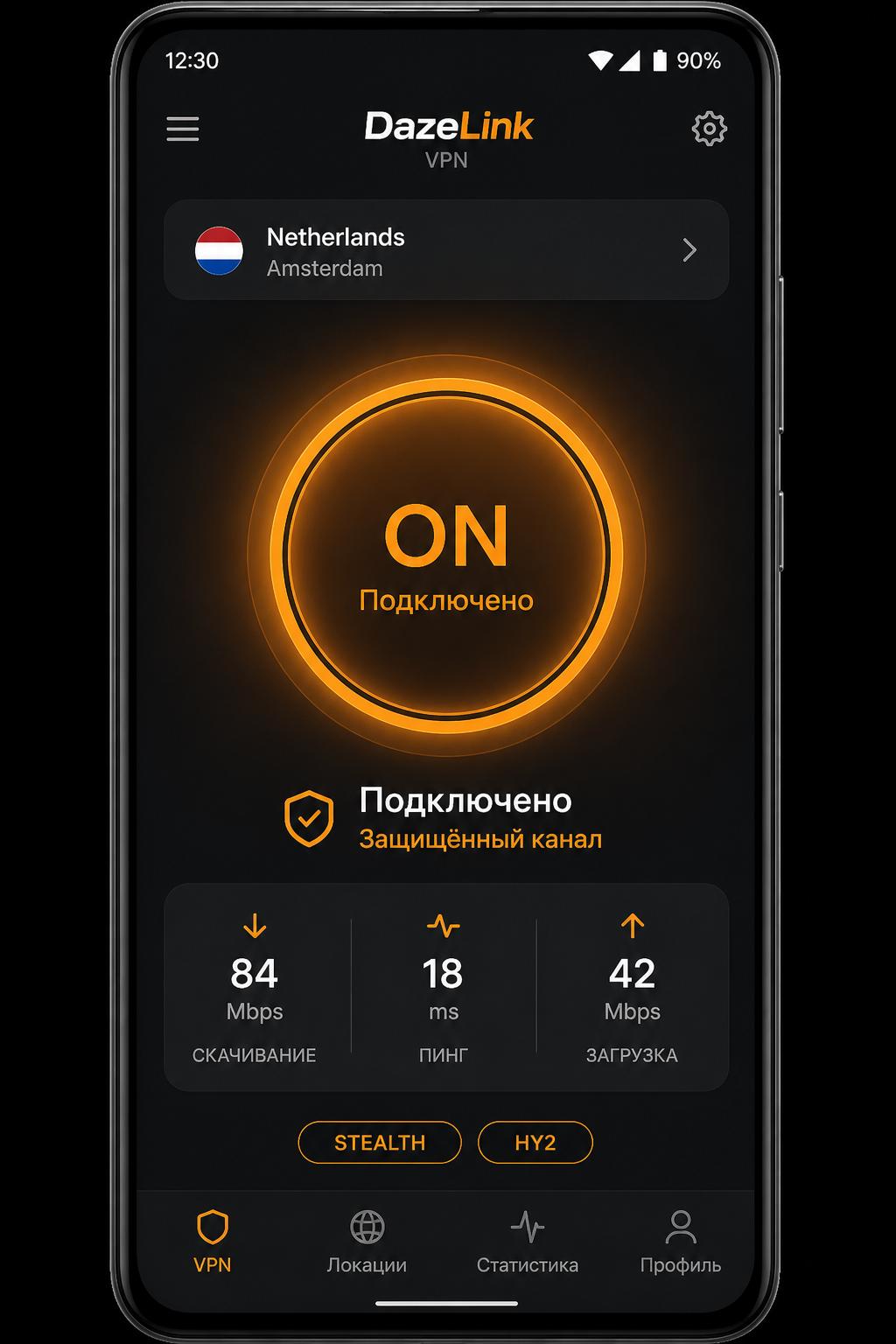
Расширение для браузера и системный VPN — разный класс решений. Если вы пользуетесь DazeLink на телефоне или ПК, важно понимать разницу: иначе легко получить два слоя и ни одного стабильного соединения.
Практический чеклист, когда «вчера работало»: обход блокировок.
Что делает расширение
Расширение в Chrome/Edge обычно проксирует трафик браузера (иногда не весь). Мессенджеры, системные обновления, другие приложения идут мимо.
Плюсы:
- быстро поставить на чужом ПК;
- не нужен установщик.
Минусы:
- узкий охват;
- частые поломки после обновлений браузера;
- неочевидно, кому уходит трафик вкладки;
- легко забыть выключить и словить конфликт с системным VPN.
Что делает клиент DazeLink / Happ
Системный VPN поднимает туннель для устройства (или выбранных приложений — зависит от ОС). Это покрывает не только вкладку браузера.
- iOS — Happ + подписка: vpn-ios-happ, подписка
- Android — клиент
- Windows — клиент
Плюсы: приложения, обновляемые профили, сопровождение доступа через тарифы.
Когда хватает расширения
- Нужно открыть один сайт «прямо сейчас» в браузере на чужом компьютере.
- Нет права ставить программы.
- Вы понимаете, что мессенджеры останутся без туннеля.
- Это разовый костыль, а не ежедневная схема.
Когда нужен клиент
- Телефон как основной канал (Android/iOS).
- Нужны приложения, не только браузер.
- Хотите обновляемые профили и предсказуемое продление.
- Сеть «тяжёлая» и нужен запасной транспорт — протоколы.
Почему нельзя «включить всё сразу»
Два VPN/прокси одновременно — классика поломок: DNS уходит в одну сторону, TCP — в другую. Симптомы знакомы:
- «VPN включён, интернета нет»;
- открывается только часть сайтов;
- мессенджер жив, браузер мёртв — или наоборот.
Правило теста: если включаете расширение — временно выключите DazeLink/Happ. И наоборот.
Практическая рекомендация для пользователей DazeLink
- Основной режим — клиент или Happ.
- Расширения — запасной инструмент на чужом ПК, не постоянная схема.
- Если «не работает интернет» — сначала снимите лишние слои, затем идите по чеклисту стабильности.
- Не ищите «лучшее расширение 2026» параллельно с рабочим доступом DazeLink «на всякий случай».
Связь с протоколами
Расширения редко говорят про VLESS/Hysteria2 — у них свой прокси. В DazeLink названия профилей как раз про устойчивость канала. Коротко: VLESS Reality и Hysteria2.
Безопасность расширений
Случайный add-on со стороннего сайта может:
- читать данные форм на сайтах;
- подменять страницы;
- слать трафик браузера неизвестному прокси.
«Бесплатный обход» в магазине расширений не обязан быть безопаснее платного клиента с понятным аккаунтом. Смотрите, кому доверяете вкладку.
Мини-сценарии
Домашний iPhone каждый день. Happ + DazeLink, без расширений.
Ноутбук с Windows для работы. Клиент DazeLink. Расширение — только если политика компании запрещает клиент (и вы понимаете ограничения).
Чужой библиотечный ПК на 15 минут. Расширение как временный костыль — допустимо. Свой телефон с клиентом — лучше.
«На телефоне расширение Chrome». На Android/iOS для мессенджеров это почти никогда не замена системному VPN.
Частые вопросы
Расширение безопаснее VPN?
Не обязательно. Смотрите, кому отдаёте трафик.
Можно ли обойтись только Happ на iPhone без расширений?
Да — целевой сценарий: vpn-ios-happ.
Почему вокруг столько расширений, а вы про клиент?
Под «обход блокировок» часто имеют в виду быстрый браузерный фикс. Для постоянного доступа с телефона клиент/подписка обычно адекватнее.
Где взять доступ DazeLink?
Главная, тарифы — pricing. Поддержка: t.me/FrostPort.
Связанные материалы
Почему расширения так популярны
Их проще поставить за 20 секунд, они обещают «обход в один клик». Быстрый фикс в браузере ≠ лучшее решение для ежедневного сценария. Популярность в каталогах не равна лучшему решению для ежедневного сценария.
Признак, что пора убрать расширение
- Вы уже пользуетесь DazeLink/Happ и ловите странные обрывы.
- В браузере открывается, в приложениях — нет, и вы думаете, что «VPN плохой».
- Расширение просит доступ «ко всем данным на всех сайтах» без необходимости.
Снимите расширение на день и посмотрите на стабильность клиента. Часто это лучший эксперимент недели.
Для владельцев нескольких устройств
Держите одну стратегию: клиент на своих устройствах, расширение — только аварийный режим на чужом ПК. Смешение стратегий на одном ноутбуке каждый день создаёт эффект «иногда работает», который невозможно диагностировать.
Краткое правило выбора на одной карточке
- Свой телефон / свой ПК каждый день → клиент DazeLink или Happ.
- Чужой компьютер на 10 минут → расширение как временный костыль.
- Уже стоит клиент и всё «плавает» → снимите расширения и вторые VPN, затем чеклист стабильности.
- Нужны приложения, не только сайты → только клиент.
Если запомнить только это правило, вы избежите 80% конфликтов, которые люди списывают на «плохой обход».
Итог
Расширение ≠ системный VPN. Среди быстрых «обходов» часто доминируют add-ons, но для ежедневного сценария DazeLink держитесь клиента или Happ и не смешивайте слои. Быстрый браузерный костыль на чужом ПК — ок; телефон и стабильность — официальные гайды платформ и чеклист.
Browser extension or VPN client — which to choose
For "bypassing runet blocks" and "vpn extension" searches, Yandex often shows browser extensions. That's a different class of solution, not a replacement for a system VPN. If you use DazeLink on your phone or PC, it's important to understand the difference — otherwise you end up with two layers and no stable connection at all.
A practical checklist for when "it worked yesterday": bypassing blocks.
What an extension does
An extension in Chrome/Edge usually proxies browser traffic (sometimes not even all of it). Messengers, system updates, and other apps go around it.
Pros:
- quick to install on someone else's PC;
- no installer needed.
Cons:
- narrow coverage;
- frequently breaks after browser updates;
- unclear who the tab's traffic actually goes to;
- easy to forget to turn off and end up conflicting with a system VPN.
What the DazeLink / Happ client does
A system VPN sets up a tunnel for the whole device (or selected apps, depending on the OS). This covers more than just a browser tab.
- iOS — Happ + subscription: vpn-ios-happ, subscription
- Android — client
- Windows — client
Pros: apps covered, updatable profiles, managed access via pricing.
When an extension is enough
- You need to open one site "right now" in a browser on someone else's computer.
- You're not allowed to install programs.
- You understand that messengers will be left without a tunnel.
- It's a one-time workaround, not a daily scheme.
When you need a client
- Your phone is your main channel (Android/iOS).
- You need apps, not just the browser.
- You want updatable profiles and predictable renewal.
- The network is "heavy" and you need a backup transport — protocols.
Why you shouldn't "turn everything on at once"
Two VPNs/proxies at the same time is a classic recipe for breakage: DNS goes one way, TCP another. Familiar symptoms:
- "VPN is on, but there's no internet";
- only some sites open;
- messenger works, browser doesn't — or the reverse.
Rule of thumb: if you turn on an extension, temporarily turn off DazeLink/Happ. And vice versa.
Practical recommendation for DazeLink users
- Main mode — client or Happ.
- Extensions — a backup tool on someone else's PC, not a permanent scheme.
- If "the internet stops working," first remove the extra layers, then follow the stability checklist.
- Don't hunt for the "best extension of 2026" alongside a working DazeLink connection "just in case."
Connection to protocols
Extensions rarely mention VLESS/Hysteria2 — they have their own proxy. In DazeLink, profile names are precisely about channel resilience. In short: VLESS Reality and Hysteria2.
Extension security
A random add-on from third-party sites can:
- read form data on websites;
- swap out pages;
- send browser traffic to an unknown proxy.
A "free bypass" in an extension store isn't necessarily safer than a paid client with a clear account. Think about who you're trusting your tab with.
Mini scenarios
A home iPhone, every day. Happ + DazeLink, no extensions.
A work laptop on Windows. The DazeLink client. An extension only if company policy forbids the client (and you understand the limitations).
Someone else's library PC for 15 minutes. An extension as a temporary workaround — acceptable. Your own phone with the client is better.
"A Chrome extension on the phone." On Android/iOS, this is almost never a replacement for a system VPN for messengers.
Frequently asked questions
Is an extension safer than VPN?
Not necessarily. Look at who you're handing your traffic to.
Can I get by with just Happ on iPhone, no extensions?
Yes — that's the target scenario: vpn-ios-happ.
Why do search results show only extensions while you're talking about a client?
For "bypassing blocks," people often want a quick browser fix. For steady phone access, a client/subscription is usually more sensible.
Where do I get DazeLink access?
Homepage, pricing — pricing. Support: t.me/FrostPort.
Related materials
Why extensions dominate the search results
They're easier to install in 20 seconds, they index well, and they promise "bypass in one click." Search demand for a quick fix is huge. But demand ≠ the best solution for a phone. Ranking algorithms aren't obligated to recommend a system VPN — they show what gets clicked.
A sign it's time to remove the extension
- You're already using DazeLink/Happ and getting strange drops.
- Things open in the browser but not in apps, and you think "the VPN is bad."
- The extension asks for access "to all data on all sites" without needing it.
Remove the extension for a day and watch the client's stability. It's often the best experiment of the week.
For owners of multiple devices
Stick to one strategy: a client on your own devices, an extension only as an emergency mode on someone else's PC. Mixing strategies on the same laptop every day creates an "it sometimes works" effect that's impossible to diagnose.
A quick decision rule on one card
- Your own phone / your own PC, every day → DazeLink client or Happ.
- Someone else's computer for 10 minutes → extension as a temporary workaround.
- Client already installed and everything is "flaky" → remove extensions and second VPNs, then run the stability checklist.
- You need apps, not just sites → client only.
If you remember only this rule, you'll avoid 80% of the conflicts people blame on "a bad bypass."
Bottom line
An extension isn't the same as a system VPN. Search results about blocks are dominated by add-ons, but for everyday DazeLink use, stick with the client or Happ and don't mix layers. A quick browser workaround on someone else's PC is fine; for your phone and for stability, use the official platform guides and the checklist.
Tarayıcı uzantısı mı yoksa VPN istemcisi mi — hangisini seçmelisiniz
"runet erişim kararlılığı" ve "vpn uzantısı" aramalarında Yandex genellikle tarayıcı uzantılarını gösterir. Bunlar sistem VPN’inden farklı bir çözüm sınıfıdır ve onun yerine geçmez. DazeLink’i telefonunuzda veya bilgisayarınızda kullanıyorsanız farkı bilmek önemlidir; aksi takdirde iki katman oluşur ve bağlantı kararlılığını kaybedersiniz.
" Dün çalışıyordu" durumları için pratik kontrol listesi: erişim kararlılığı.
Uzantı ne yapar
Chrome/Edge uzantısı genellikle yalnızca tarayıcı trafiğini yönlendirir (bazen hepsini bile değil). Mesajlaşma uygulamaları, sistem güncellemeleri ve diğer programlar bu katmanın dışında kalır.
Avantajları:
- Başka birinin bilgisayarına hızlıca kurulur;
- Kurulum dosyası gerektirmez.
Dezavantajları:
- Kapsamı dardır;
- Tarayıcı güncellemelerinden sonra sık bozulur;
- Sekme trafiğinin kime gittiği net değildir;
- Kapatmayı unutmak kolaydır ve sistem VPN’iyle çakışmaya yol açar.
DazeLink / Happ istemcisi ne yapar
Sistem VPN’i tüm cihaz için (veya işletim sistemine göre seçilen uygulamalar için) tünel oluşturur. Bu, yalnızca tarayıcı sekmesinden çok daha geniş kapsama sağlar.
- iOS — Happ + abonelik: vpn-ios-happ, abonelik
- Android — istemci
- Windows — istemci
Avantajları: uygulamalar kapsanır, profiller güncellenebilir, fiyatlandırma üzerinden yönetilen erişim.
Uzantı ne zaman yeterlidir
- Başka birinin bilgisayarında tek bir siteyi "hemen şimdi" açmanız gerekir.
- Program kurmanıza izin verilmez.
- Mesajlaşma uygulamalarının tünel dışında kalacağını anlarsınız.
- Tek seferlik bir çözüm, günlük kullanım değildir.
İstemci ne zaman gereklidir
- Telefonunuz ana cihazınızdır (Android/iOS).
- Yalnızca tarayıcı değil, uygulamalar da gereklidir.
- Güncellenebilir profiller ve öngörülebilir yenileme istersiniz.
- Ağ "ağır"dır ve yedek taşıma protokolüne ihtiyaç duyarsınız — protokoller.
Neden her şeyi aynı anda açmamalısınız
İki VPN/proxy aynı anda açık olması klasik bir bozulma nedenidir: DNS bir yöne, TCP başka yöne gider. Sık görülen belirtiler:
- "VPN açık ama internet yok";
- Sadece bazı siteler açılıyor;
- Mesajlaşma çalışıyor, tarayıcı çalışmıyor — veya tam tersi.
Temel kural: uzantıyı açarsanız DazeLink/Happ’i geçici olarak kapatın. Tersi de geçerlidir.
DazeLink kullanıcıları için pratik öneri
- Ana mod — istemci veya Happ.
- Uzantılar — yalnızca başkasının bilgisayarında yedek araçtır, kalıcı çözüm değildir.
- "İnternet çalışmıyorsa" önce fazladan katmanları kaldırın, sonra kararlılık kontrol listesini uygulayın.
- Çalışan bir DazeLink bağlantısı varken "2026’nın en iyi uzantısı" aramayın.
Protokollerle bağlantı
Uzantılar nadiren VLESS/Hysteria2’den bahseder; kendi proxy’leri vardır. DazeLink’te profil adları doğrudan kanal dayanıklılığıyla ilgilidir. Kısaca: VLESS Reality ve Hysteria2.
Uzantı güvenliği
Üçüncü taraf sitelerden rastgele bir eklenti şunları yapabilir:
- Web sitelerindeki form verilerini okuyabilir;
- Sayfaları değiştirebilir;
- Tarayıcı trafiğini bilinmeyen bir proxy’ye gönderebilir.
Mağazadaki "ücretsiz erişim" uzantısı, net hesabı olan ücretli bir istemciden mutlaka daha güvenli değildir. Sekmenizi kime emanet ettiğinizi düşünün.
Küçük senaryolar
Ev iPhone’u, her gün. Happ + DazeLink, uzantı yok.
Windows iş bilgisayarı. DazeLink istemcisi. Şirket politikası istemciyi yasaklıyorsa ve sınırlamaları anlıyorsanız uzantı kullanılabilir.
Başkasının kütüphane bilgisayarı, 15 dakika. Geçici çözüm olarak uzantı — kabul edilebilir. Kendi telefonunuzdaki istemci daha iyidir.
"Telefonda Chrome uzantısı." Android/iOS’ta bu, mesajlaşma uygulamaları için neredeyse hiçbir zaman sistem VPN alternatifi değildir.
Sık sorulan sorular
Uzantı VPN’den daha mı güvenlidir?
Mutlaka değil. Trafiğinizi kime teslim ettiğinize bakın.
iPhone’da yalnızca Happ yeterli olur mu, uzantı gerekmez mi?
Evet — hedef senaryo budur: vpn-ios-happ.
Arama sonuçlarında neden sadece uzantılar çıkıyor, siz istemciden bahsediyorsunuz?
"Kararlı erişim" için insanlar genellikle hızlı tarayıcı çözümü ister. Telefon için kararlı erişimde istemci/abonelik genellikle daha mantıklıdır.
DazeLink erişimini nereden alırım?
Ana sayfa, fiyatlandırma — pricing. Destek: t.me/FrostPort.
İlgili materyaller
Neden uzantılar arama sonuçlarına hâkim
20 saniyede kurulmaları kolaydır, iyi indekslenir ve "tek tıkla erişim" vaadi verirler. Hızlı çözüm talebi yüksektir. Ancak talep, telefon için en iyi çözüm anlamına gelmez. Sıralama algoritmaları sistem VPN önermek zorunda değildir — tıklananları gösterir.
Uzantıyı kaldırma zamanı geldiğinin işareti
- Zaten DazeLink/Happ kullanıyorsunuz ve garip kesintiler yaşıyorsunuz.
- Tarayıcıda siteler açılıyor ama uygulamalarda açılmıyor ve "VPN kötü" diyorsunuz.
- Uzantı gereksiz yere "tüm sitelerdeki tüm verilere" erişim istiyor.
Uzantıyı bir gün kaldırın ve istemcinin kararlılığını izleyin. Genellikle haftanın en iyi deneyi budur.
Birden fazla cihaz sahibi için
Tek bir stratejiye sadık kalın: kendi cihazlarınızda istemci, yalnızca başkasının bilgisayarında acil durum modu olarak uzantı. Aynı dizüstünde her gün stratejileri karıştırmak, teşhis edilemeyen "bazen çalışıyor" etkisine yol açar.
Tek kartta hızlı karar kuralı
- Kendi telefonunuz / kendi bilgisayarınız, her gün → DazeLink istemcisi veya Happ.
- Başkasının bilgisayarında 10 dakika → geçici çözüm olarak uzantı.
- İstemci zaten kurulu ve her şey "kararsız" → uzantıları ve ikinci VPN’leri kaldırın, sonra kararlılık kontrol listesini çalıştırın.
- Yalnızca siteler değil, uygulamalar da gerekiyor → yalnızca istemci.
Bu kuralı hatırlarsanız, insanların "kötü erişim" diye suçladığı sorunların %80’inden kaçınmış olursunuz.
Özet
Uzantı sistem VPN’inin aynısı değildir. Erişim aramalarında eklentiler baskın olsa da, günlük DazeLink kullanımında istemci veya Happ ile kalın ve katmanları karıştırmayın. Başkasının bilgisayarında hızlı tarayıcı çözümü kabul edilebilir; telefonunuz ve kararlılık için resmi platform kılavuzlarını ve kontrol listesini kullanın.