Happ / Anywhere Proxy — скачать и подключить доступ DazeLink

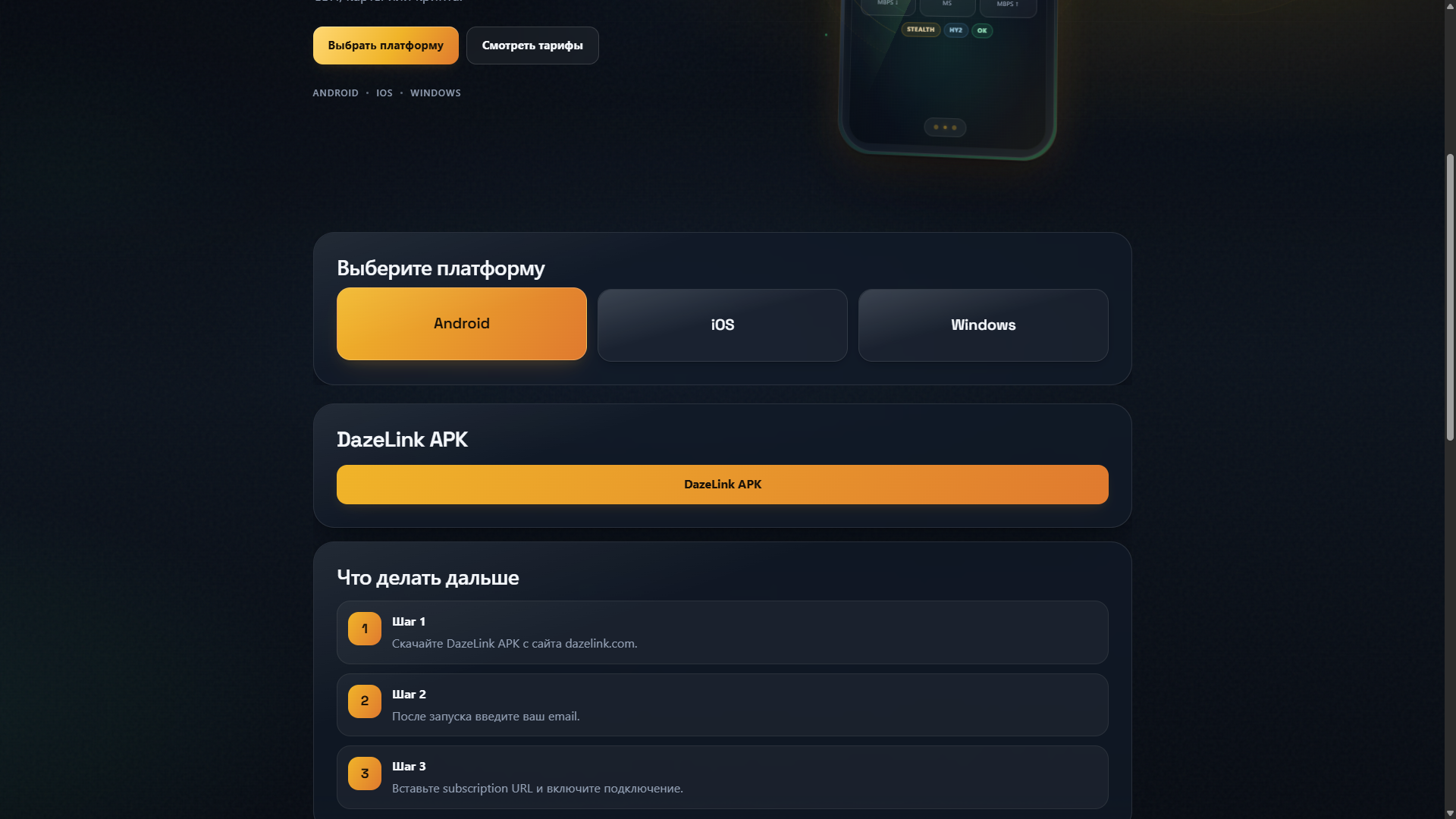
Запросы вроде «happ скачать», «happ proxy utility что это», «happ vpn купить подписку» или «vpn ios скачать» на практике сводятся к одному и тому же: где взять официальный клиент и как получить рабочую подписку DazeLink. Разбираем это в одном месте вместо десятка похожих статей.
Что такое Happ / Anywhere Proxy в контуре DazeLink
Happ Proxy Utility и Anywhere Proxy — это клиентские приложения для iOS, через которые подключается подписка DazeLink (subscription URL). Это не отдельный VPN-сервис и не конкурент DazeLink — это способ подключения профиля на iPhone, аналогично тому, как на Android и Windows используется собственный клиент DazeLink.
Где скачать официально
- iOS — Anywhere Proxy из App Store (нужен iOS 18+); если у вас уже установлен Happ, можно продолжать использовать его. Подробности: vpn-ios-anywhere-proxy.
- Android — только официальный APK с dazelink.com, не сторонние каталоги. Подробности: VPN на Android и проверка официального APK.
- Windows — клиент для ПК с dazelink.com. Подробности: VPN на Windows.
Держитесь одного правила: приложение — из App Store/Google Play или с dazelink.com, доступ и подписка — только через официальный сайт. Сторонние «зеркала» и файлообменники с «happ vpn скачать бесплатно» часто раздают устаревшие или чужие сборки.
Как оформить подписку и подключиться
- Откройте главную DazeLink и выпустите доступ на email.
- Выберите и оплатите подходящий тариф на странице тарифов, если нужен платный срок.
- Скопируйте персональный subscription URL и импортируйте его в клиент (Happ/Anywhere Proxy на iOS, встроенный профиль на Android/Windows).
- Обновите список профилей и включите подключение.
- После оплаты тарифа обязательно обновите подписку в приложении ещё раз — срок доступа не подтягивается автоматически без этого шага.
Отзывы и репутация
Отдельно от репутации самого приложения Happ (которое используется многими сервисами, не только DazeLink) важно понимать: качество и стабильность соединения в вашем случае зависят от подписки и профилей DazeLink, а не от версии клиента. Если что-то не работает — начните с диагностики Happ VPN, а не с переустановки приложения.
Чего избегать
- Случайные APK/IPA не с официальных страниц App Store/Google Play/dazelink.com.
- Покупка «ключей» или готовых подписок у третьих лиц вместо оформления через сайт.
- Публикация своего subscription URL в открытых чатах — это ваш персональный доступ.
- Параллельный запуск нескольких VPN или браузерных «обходов» одновременно с клиентом.
Частые вопросы
Happ и DazeLink — это один и тот же сервис?
Нет. Happ Proxy Utility / Anywhere Proxy — клиентское приложение для iOS. DazeLink — сервис доступа, который выдаёт подписку (subscription URL), подключаемую через это приложение.
Где официально скачать Happ Proxy Utility?
Только из App Store. Не устанавливайте IPA-файлы с сторонних сайтов — риск получить неактуальную или подменённую сборку.
Нужно ли покупать подписку отдельно у продавцов «ключей»?
Нет. Подписка оформляется напрямую на dazelink.com с оплатой через официальные способы на странице тарифов — это безопаснее и даёт предсказуемый срок действия.
Что делать, если после установки приложение не подключается?
Проверьте, что подписка обновлена в приложении, а не запущен параллельно другой VPN — подробный чеклист: Happ VPN не работает — что делать.
А как скачать доступ на Android?
Android не использует Happ — ставится отдельный официальный APK DazeLink. Подробно: VPN на Android.
Итог
«Скачать Happ», «купить подписку», «Happ Proxy Utility что это» — разные формулировки одного и того же пути: официальный клиент из App Store/Google Play/dazelink.com + подписка, оформленная напрямую на сайте DazeLink. Не покупайте доступ у третьих лиц и не ищите отдельное «Happ plus» приложение — это тот же Happ, подключённый к вашей подписке DazeLink.
Практика по реальному спросу
Ниже — ответы на то, что чаще всего ищут рядом с этой темой. Держимся официального пути: сайт → email → клиент → обновление доступа.
С чего начать новичку?
- Откройте dazelink.com и укажите email.
- Выберите платформу (Android / Windows / iOS).
- Скачайте официальный клиент или возьмите subscription URL для iOS.
- Подключитесь и проверьте сервисы.
- Если не поднимается — refresh и поддержка @FrostPort.
Что важнее: «скачать» или «подписка»?
Скачать клиент без доступа обычно бесполезно. Сначала получите доступ на сайте, затем клиент/URL. Пробный период — 7 дней, дальше тарифы на pricing без автосписаний.
Можно ли один аккаунт на телефон и ПК?
Да. Один email обслуживает Android и Windows. iOS идёт через subscription URL в Happ или Anywhere Proxy. См. также Android + Windows и iOS.
Почему не брать «ключи из чата»?
Разовые строки быстро устаревают и часто ведут на чужой/нестабильный сервер. Персональный доступ с сайта обновляется централизованно и проще переносится на новое устройство.
Что проверить, если «не работает»?
- Срок доступа не истёк.
- Клиент официальный и обновлён.
- Сделан refresh / update подписки.
- Нет второго туннеля параллельно.
- Сеть сменена (Wi‑Fi ↔ LTE) для проверки.
Где читать дальше?
Happ Proxy / Utility / Desktop — это не отдельные продукты
В поиске мелькают «happ proxy com», «happ proxy utility скачать», «happ desktop», «happ plus proxy». Для пользователя DazeLink это один сценарий:
- iOS — Happ (или Anywhere Proxy) + subscription URL с сайта.
- Android — официальный APK DazeLink, не «happ proxy apk» с чужих каталогов.
- Windows — клиент DazeLink с сайта; «Happ на ПК» как замена официальному клиенту не нужен.
Отзывы и «скачать utility» без персонального доступа с dazelink.com почти всегда ведут на устаревший ключ или чужой сервер. Сначала доступ и email, потом клиент.
Happ / Anywhere Proxy — download and connect DazeLink access
Searches like "download happ", "happ proxy utility what is it", "buy happ vpn subscription", or "download vpn ios" all come down to the same thing in practice: where to get the official client and how to get a working DazeLink subscription. We cover it all in one place instead of a dozen similar articles.
What Happ / Anywhere Proxy is in the DazeLink ecosystem
Happ Proxy Utility and Anywhere Proxy are client apps for iOS that connect to a DazeLink subscription (subscription URL). This isn't a separate VPN service or a DazeLink competitor — it's a way to connect a profile on iPhone, similar to how Android and Windows use their own DazeLink client.
Where to download officially
- iOS — Anywhere Proxy from the App Store (requires iOS 18+); if you already have Happ installed, you can keep using it. Details: vpn-ios-anywhere-proxy.
- Android — only the official APK from dazelink.com, not third-party catalogs. Details: VPN on Android and verifying the official APK.
- Windows — the PC client from dazelink.com. Details: VPN on Windows.
Stick to one rule: the app comes from the App Store/Google Play or dazelink.com, and access/subscription come only through the official site. Third-party "mirrors" and file hosts offering "free happ vpn download" often distribute outdated or third-party builds.
How to set up a subscription and connect
- Open the DazeLink homepage and get access via email.
- Choose and pay for a suitable plan on the pricing page, if you need a paid term.
- Copy your personal subscription URL and import it into the client (Happ/Anywhere Proxy on iOS, the built-in profile on Android/Windows).
- Refresh the profile list and turn on the connection.
- After paying for a plan, be sure to refresh the subscription in the app once more — the access term doesn't update automatically without this step.
Reviews and reputation
Separate from the reputation of the Happ app itself (which is used by many services, not just DazeLink), it's worth understanding: the quality and stability of your connection depends on the DazeLink subscription and profiles, not the client version. If something isn't working, start with diagnosing Happ VPN, not reinstalling the app.
What to avoid
- Random APKs/IPAs not from the official App Store/Google Play/dazelink.com pages.
- Buying "keys" or ready-made subscriptions from third parties instead of signing up through the site.
- Publishing your subscription URL in open chats — it's your personal access.
- Running multiple VPNs or browser "bypasses" at the same time as the client.
Frequently asked questions
Are Happ and DazeLink the same service?
No. Happ Proxy Utility / Anywhere Proxy is a client app for iOS. DazeLink is the access service that issues the subscription (subscription URL) that connects through this app.
Where can I officially download Happ Proxy Utility?
Only from the App Store. Don't install IPA files from third-party sites — you risk getting an outdated or tampered build.
Do I need to buy a subscription separately from "key" sellers?
No. The subscription is set up directly on dazelink.com, paid through official methods on the pricing page — this is safer and gives you a predictable term.
What if the app doesn't connect after installation?
Check that the subscription is refreshed in the app and that you're not running another VPN in parallel — detailed checklist: Happ VPN not working — what to do.
How do I get access on Android?
Android doesn't use Happ — a separate official DazeLink APK is installed instead. Details: VPN on Android.
Happ Proxy / Utility / Desktop are not separate products
Search shows “happ proxy com,” “happ proxy utility download,” “happ desktop,” “happ plus proxy.” For DazeLink users it’s one path:
- iOS — Happ (or Anywhere Proxy) + subscription URL from the site.
- Android — official DazeLink APK, not a random “happ proxy apk.”
- Windows — DazeLink client from the site; “Happ on PC” is not a required substitute.
Reviews and “utility downloads” without personal access from dazelink.com usually mean a stale key or someone else’s server. Access and email first, then the client.
Bottom line
"Download Happ," "buy a subscription," "what is Happ Proxy Utility" are all different phrasings of the same path: the official client from the App Store/Google Play/dazelink.com plus a subscription set up directly on the DazeLink site. Don't buy access from third parties, and don't look for a separate "Happ plus" app — it's the same Happ, connected to your DazeLink subscription.
Happ / Anywhere Proxy — DazeLink erişimini indir ve bağla
"happ indir", "happ proxy utility nedir", "happ vpn aboneliği al" veya "vpn ios indir" gibi aramalar pratikte aynı noktaya çıkar: resmi istemciyi nereden alacağınız ve çalışan bir DazeLink aboneliğini nasıl edineceğiniz. Bunları tek bir yerde ele alıyoruz.
Happ / Anywhere Proxy, DazeLink ekosisteminde ne işe yarar
Happ Proxy Utility ve Anywhere Proxy, iOS için hazırlanmış istemci uygulamalardır ve DazeLink aboneliği (abonelik URL’si) ile çalışır. Bunlar ayrı bir VPN hizmeti veya DazeLink rakibi değildir; iPhone’da profil bağlamanın bir yoludur. Android ve Windows için ise kendi DazeLink istemcileri kullanılır.
Resmi indirme kaynakları
- iOS — App Store’dan Anywhere Proxy (iOS 18+ gerekir); Happ zaten yüklüyse kullanmaya devam edebilirsiniz. Ayrıntılar: vpn-ios-anywhere-proxy.
- Android — Yalnızca dazelink.com’dan alınan resmi APK; üçüncü taraf kataloglardan kaçının. Ayrıntılar: VPN on Android ve resmi APK doğrulama.
- Windows — dazelink.com’dan alınan PC istemcisi. Ayrıntılar: VPN on Windows.
Temel kural: Uygulama App Store, Google Play veya dazelink.com üzerinden gelmeli, erişim/abonelik ise yalnızca resmi siteden alınmalı. Üçüncü taraf “ayna” siteler ve dosya paylaşımları genellikle eski veya farklı yapılar dağıtır.
Abonelik kurma ve bağlanma adımları
- [DazeLink ana sayfasını](/ ) açın ve e-posta ile erişim alın.
- İhtiyacınıza uygun planı fiyatlandırma sayfasından seçip ödeyin.
- Kişisel abonelik URL’sini kopyalayın ve istemciye aktarın (iOS’ta Happ/Anywhere Proxy, Android/Windows’ta yerleşik profil).
- Profil listesini yenileyin ve bağlantıyı açın.
- Plan ödemesinden sonra uygulamada aboneliği bir kez daha yenileyin; erişim süresi otomatik güncellenmez.
Değerlendirmeler ve güvenilirlik
Happ uygulamasının kendi itibarı (birçok hizmet tarafından kullanılan bir istemci) ayrı bir konudur. Bağlantınızın kararlılığı DazeLink aboneliğine ve profillere bağlıdır, istemci sürümüne değil. Sorun yaşarsanız önce Happ VPN teşhis rehberine bakın.
Kaçınılması gerekenler
- Resmi App Store/Google Play/dazelink.com sayfaları dışındaki rastgele APK/IPA dosyaları.
- Site üzerinden kayıt olmak yerine üçüncü şahıslardan “anahtar” veya hazır abonelik almak.
- Abonelik URL’sini açık sohbetlerde paylaşmak.
- İstemciyle birlikte başka VPN veya tarayıcı “geçiş” araçlarını aynı anda çalıştırmak.
Sık sorulan sorular
Happ ve DazeLink aynı hizmet mi?
Hayır. Happ Proxy Utility / Anywhere Proxy yalnızca iOS için bir istemci uygulamasıdır. DazeLink ise bu uygulamaya bağlanan abonelik URL’sini sağlayan erişim hizmetidir.
Happ Proxy Utility’yi resmi olarak nereden indirebilirim?
Yalnızca App Store’dan. Üçüncü taraf sitelerden IPA yüklemeyin; eski veya değiştirilmiş bir yapı alma riski taşır.
Aboneliği “anahtar” satıcılarından ayrı mı almalıyım?
Hayır. Abonelik doğrudan [dazelink.com](/ ) üzerinden, fiyatlandırma sayfasındaki resmi yöntemlerle yapılır; bu hem daha güvenli hem de öngörülebilir bir süre sağlar.
Kurulumdan sonra uygulama bağlanmıyorsa ne yapmalıyım?
Aboneliğin uygulamada yenilendiğinden ve başka bir VPN’in aynı anda çalışmadığından emin olun. Ayrıntılı kontrol listesi: Happ VPN çalışmıyor — ne yapmalı.
Android’de erişimi nasıl sağlarım?
Android Happ kullanmaz; bunun yerine resmi DazeLink APK’sı yüklenir. Ayrıntılar: VPN on Android.
Happ Proxy / Utility / Desktop ayrı ürünler değildir
Aramalarda “happ proxy com”, “happ proxy utility download”, “happ desktop”, “happ plus proxy” gibi ifadeler çıkar. DazeLink kullanıcıları için yol tektir:
- iOS — Happ (veya Anywhere Proxy) + siteden alınan abonelik URL’si.
- Android — rastgele bir “happ proxy apk” değil, resmi DazeLink APK’sı.
- Windows — siteden alınan DazeLink istemcisi; “Happ on PC” zorunlu bir alternatif değildir.
Kişisel erişim olmadan yapılan “utility indirme” yorumları genellikle eski bir anahtar veya başka birinin sunucusu anlamına gelir. Önce erişim ve e-posta, sonra istemci.
Özet
"Happ indir", "abonelik al", "Happ Proxy Utility nedir" gibi aramalar aynı yolu işaret eder: App Store/Google Play/dazelink.com üzerinden resmi istemci ve doğrudan DazeLink sitesinden kurulan abonelik. Erişimi üçüncü şahıslardan almayın ve ayrı bir “Happ plus” uygulaması aramayın; kullandığınız Happ, kendi DazeLink aboneliğinize bağlanır.